MECHANISM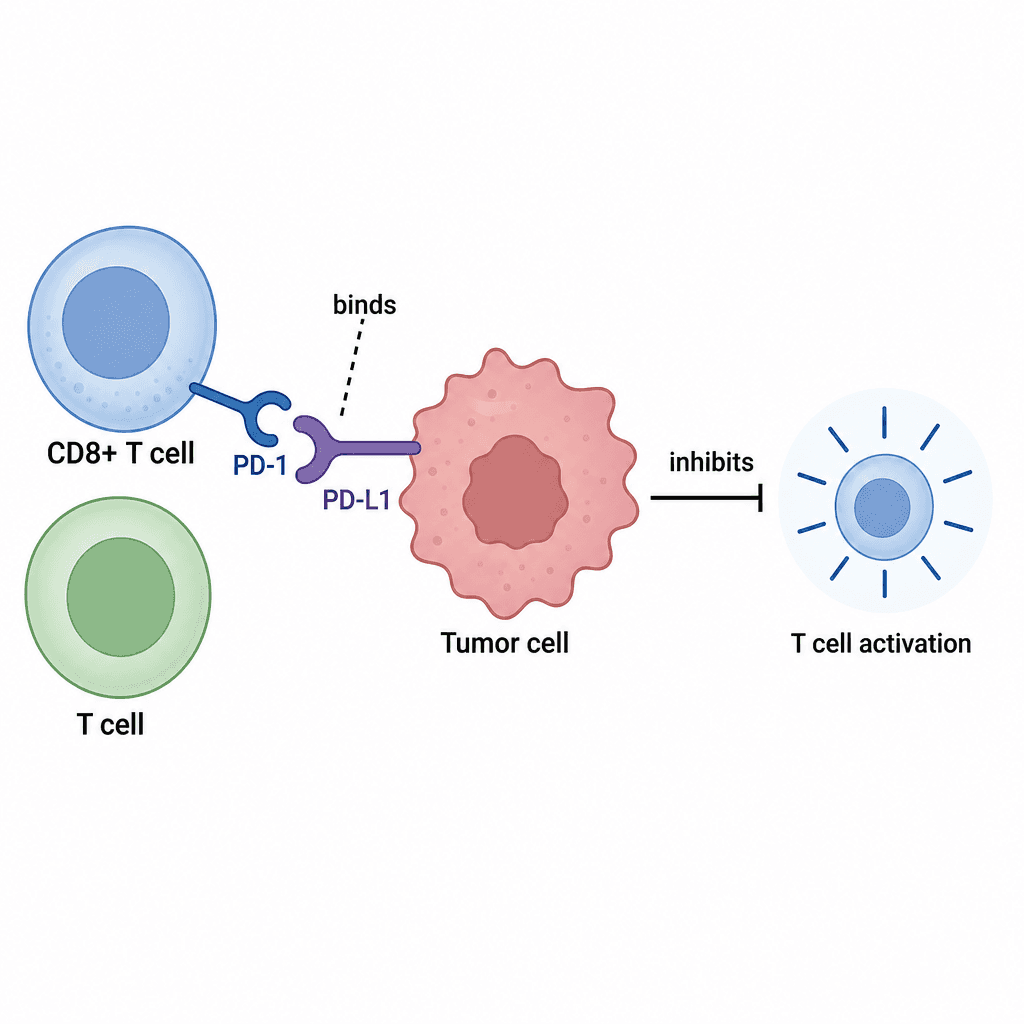
Mechanism & pathway diagrams
Describe molecules, cells and signalling relationships as one clear mechanism figure.
Describe a mechanism or experiment and LitFigure drafts the figure. Revise in plain language or, for supported structured documents, on the canvas. Export availability and object editability depend on the document type.
3 free credits after email verification · No card required
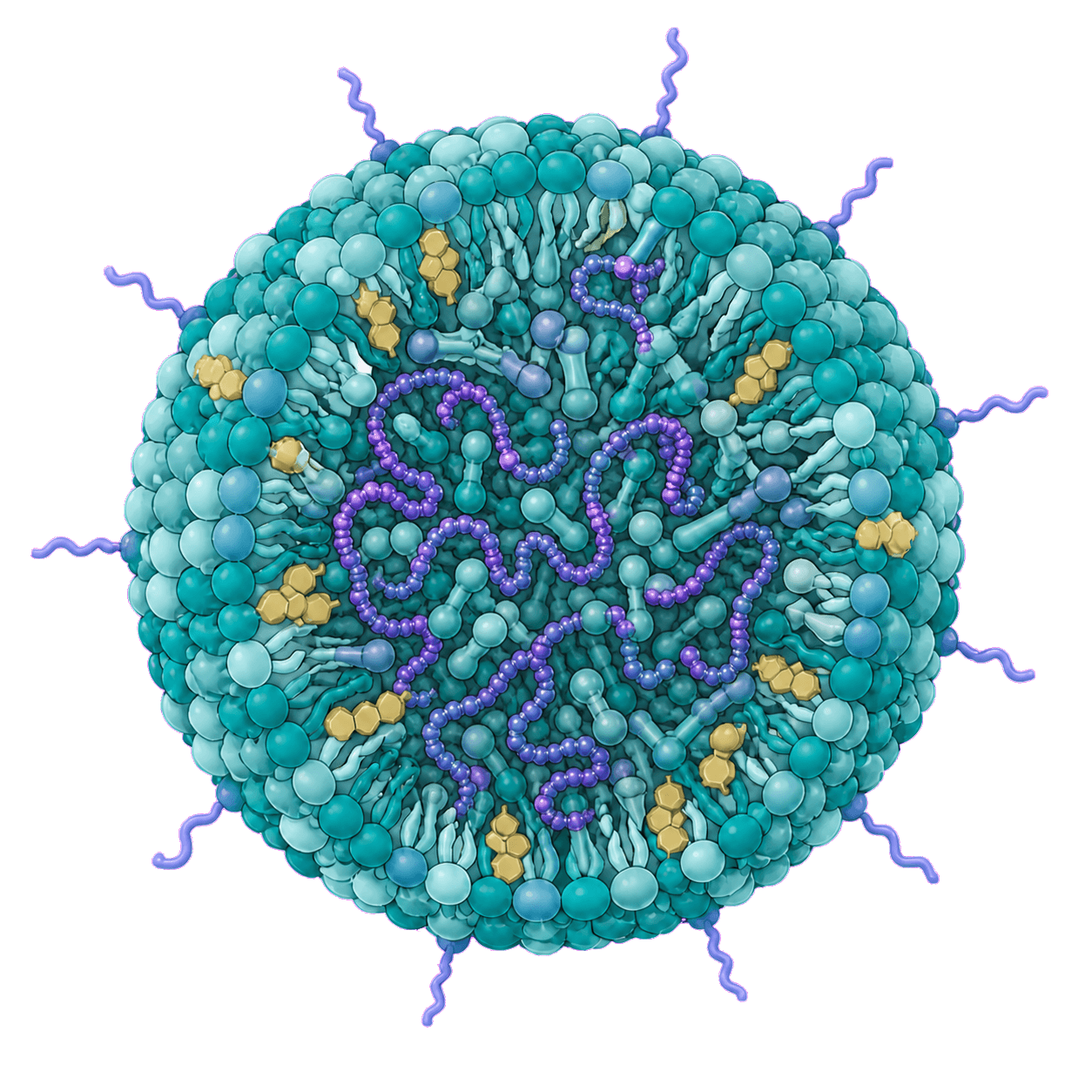
Illustrate an RNA-loaded lipid nanoparticle in cutaway, with teal lipids and purple RNA.
Start from a written description. Cover the three figure types scientific writing asks for most.
Describe molecules, cells and signalling relationships as one clear mechanism figure.
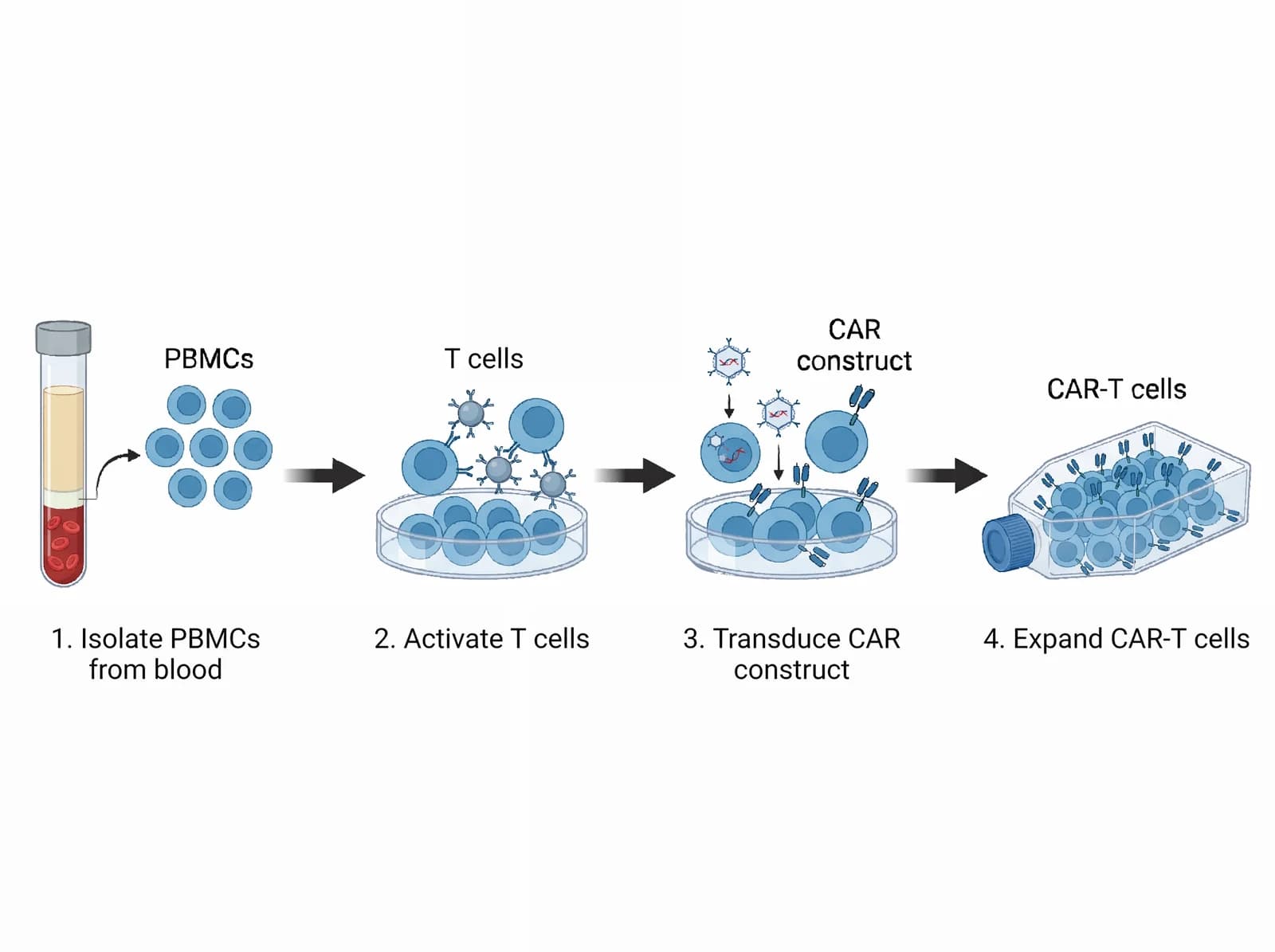
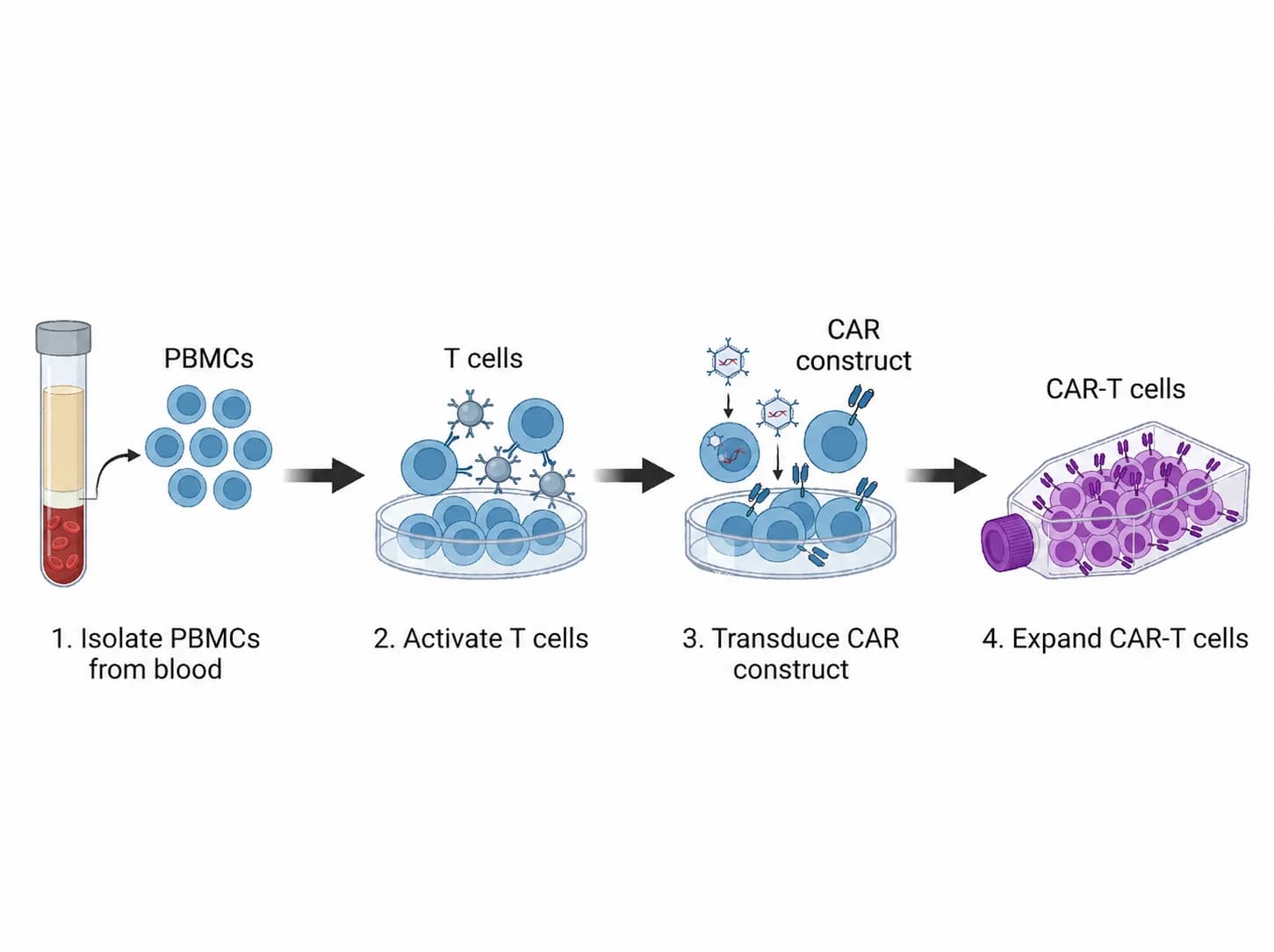
Turn multi-step procedures — isolate, activate, transduce, expand — into readable workflows.
Compress a paper into a one-screen abstract: method, mechanism and takeaway at a glance.
Explore labels, relationships and composition. Then adapt an example to your research.
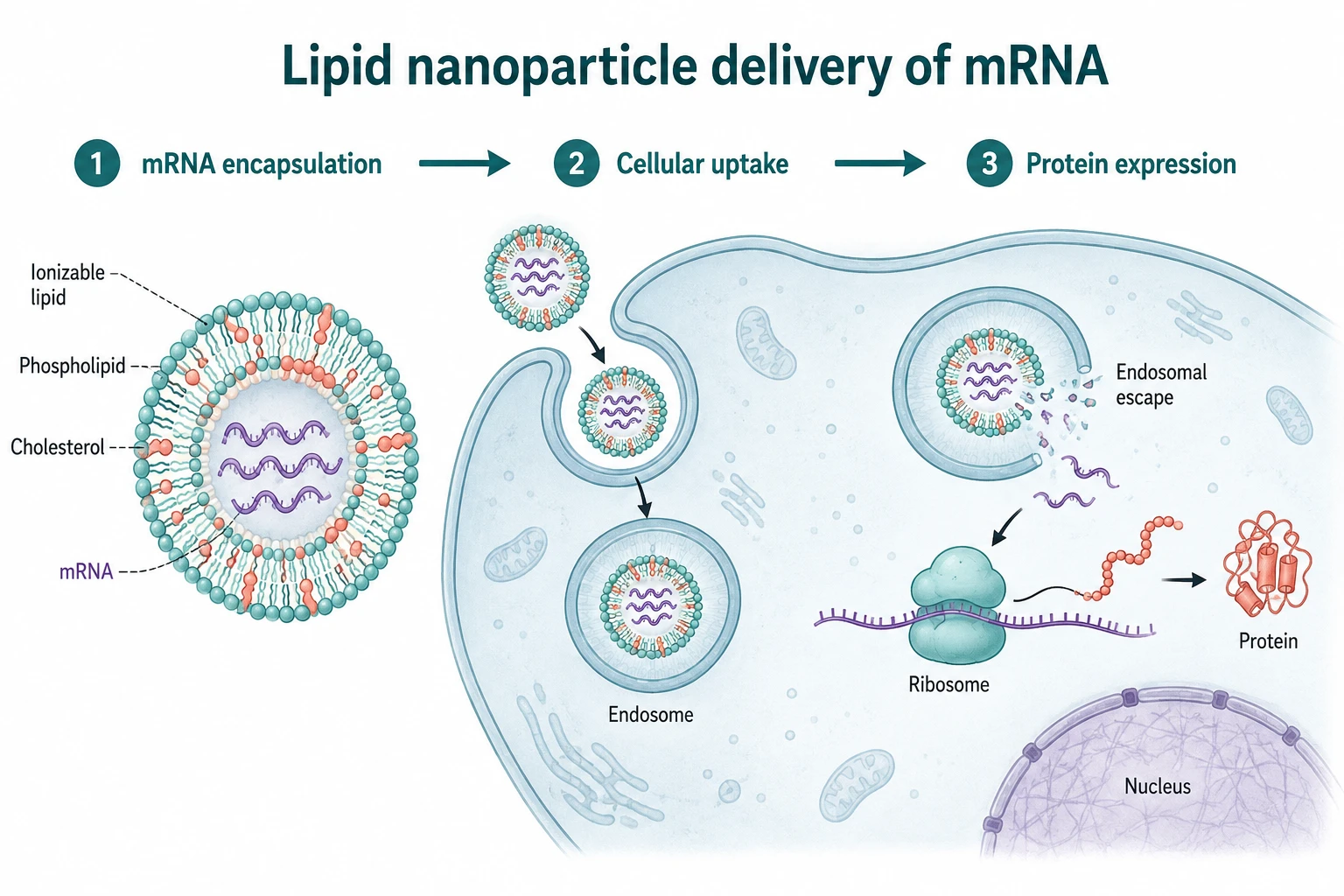
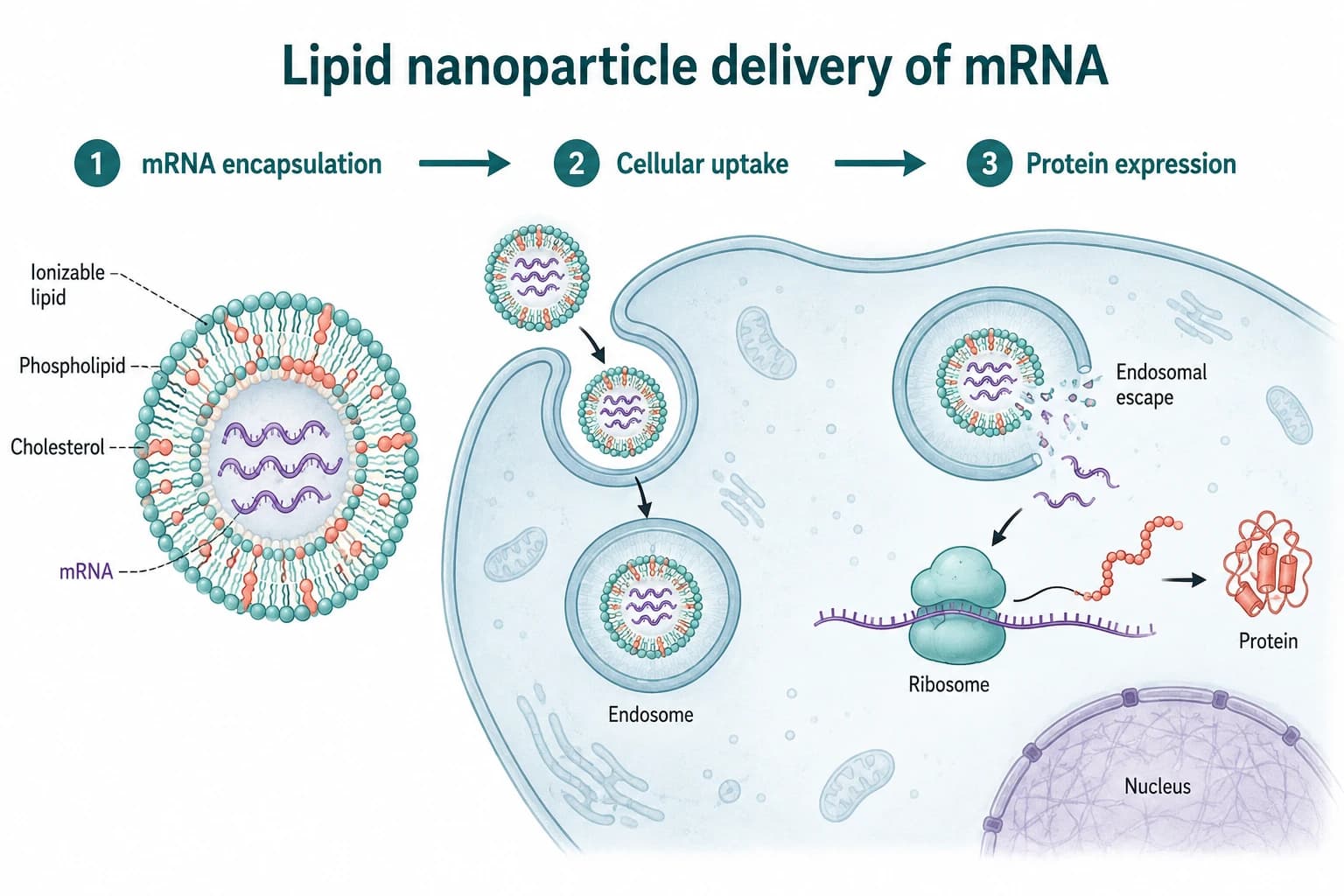
From encapsulation and cellular uptake to endosomal escape and protein expression. An AI-generated concept example, not experimental results.
Create a graphical abstract of lipid nanoparticle delivery of mRNA. Show mRNA encapsulation, cellular uptake by endocytosis, endosomal escape, and ribosomal translation in the cytoplasm. Connect the stages with arrows and label mRNA, endosome, ribosome and protein. Do not depict mRNA entering the nucleus or altering DNA. No experimental data. White background, teal and coral palette.
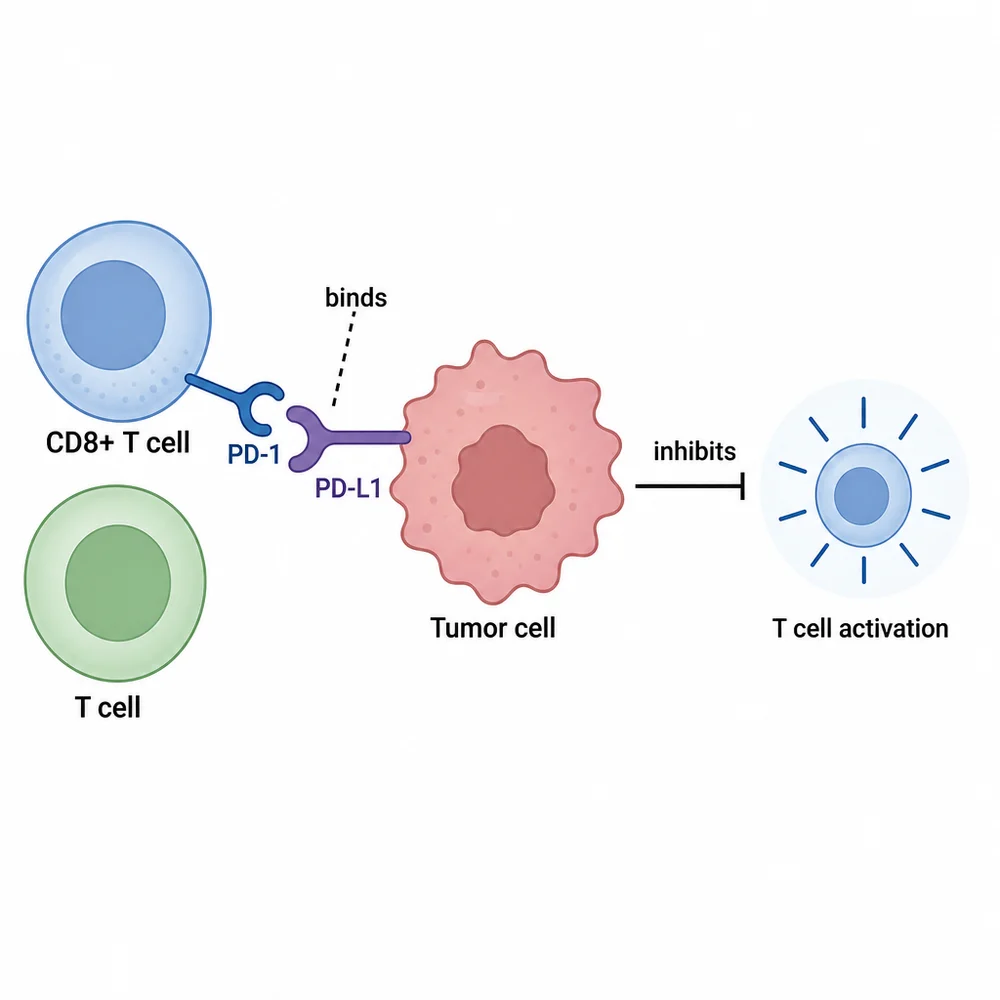
Connect cells, receptors and inhibitory signaling in one figure.
Create a PD-1 / PD-L1 checkpoint mechanism diagram: PD-1 on a T cell binds PD-L1 on a tumor cell and inhibits T-cell activation. Label the cells and receptors, use an explicit inhibition symbol, a white background, and blue/red colors.
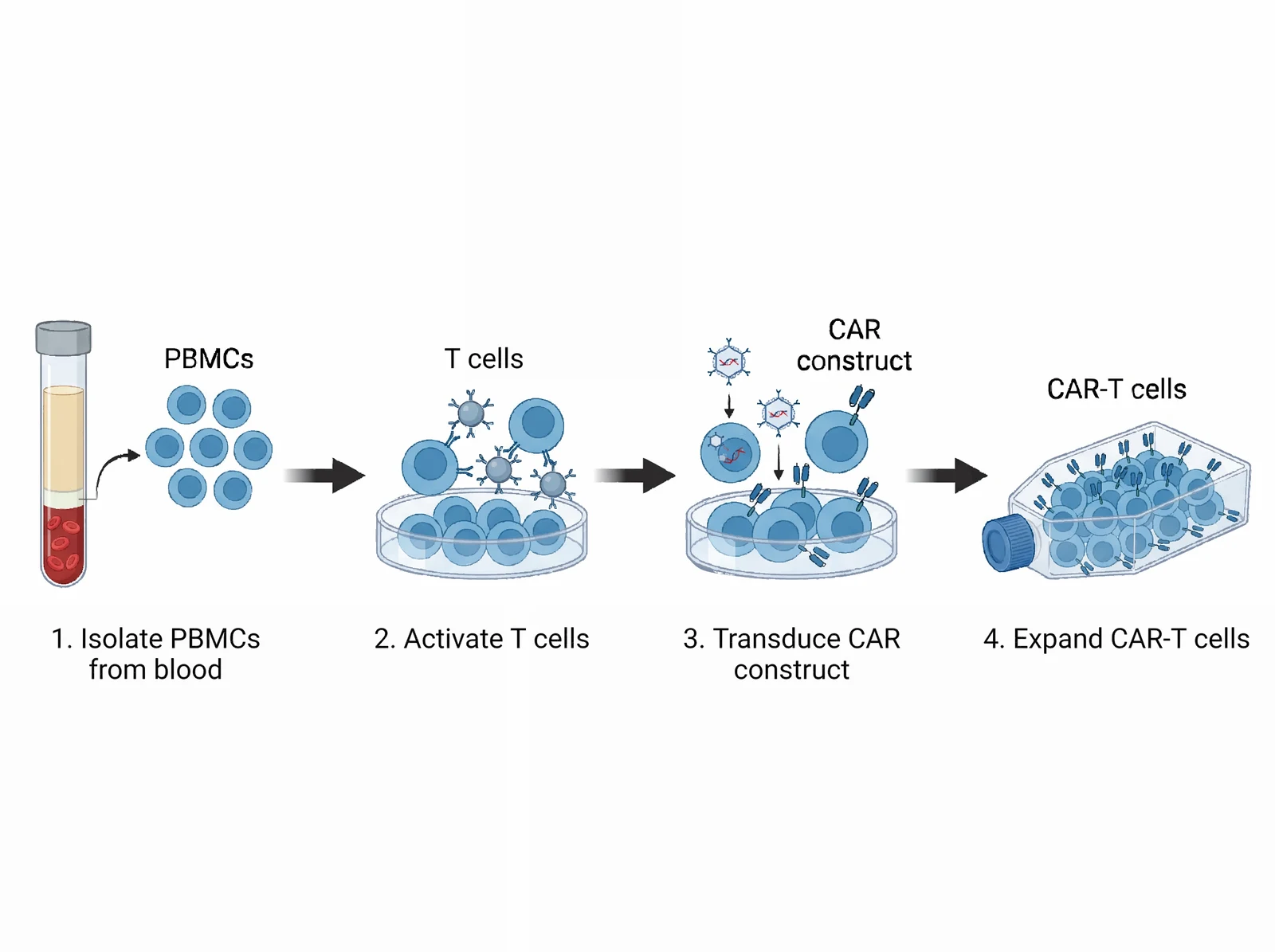
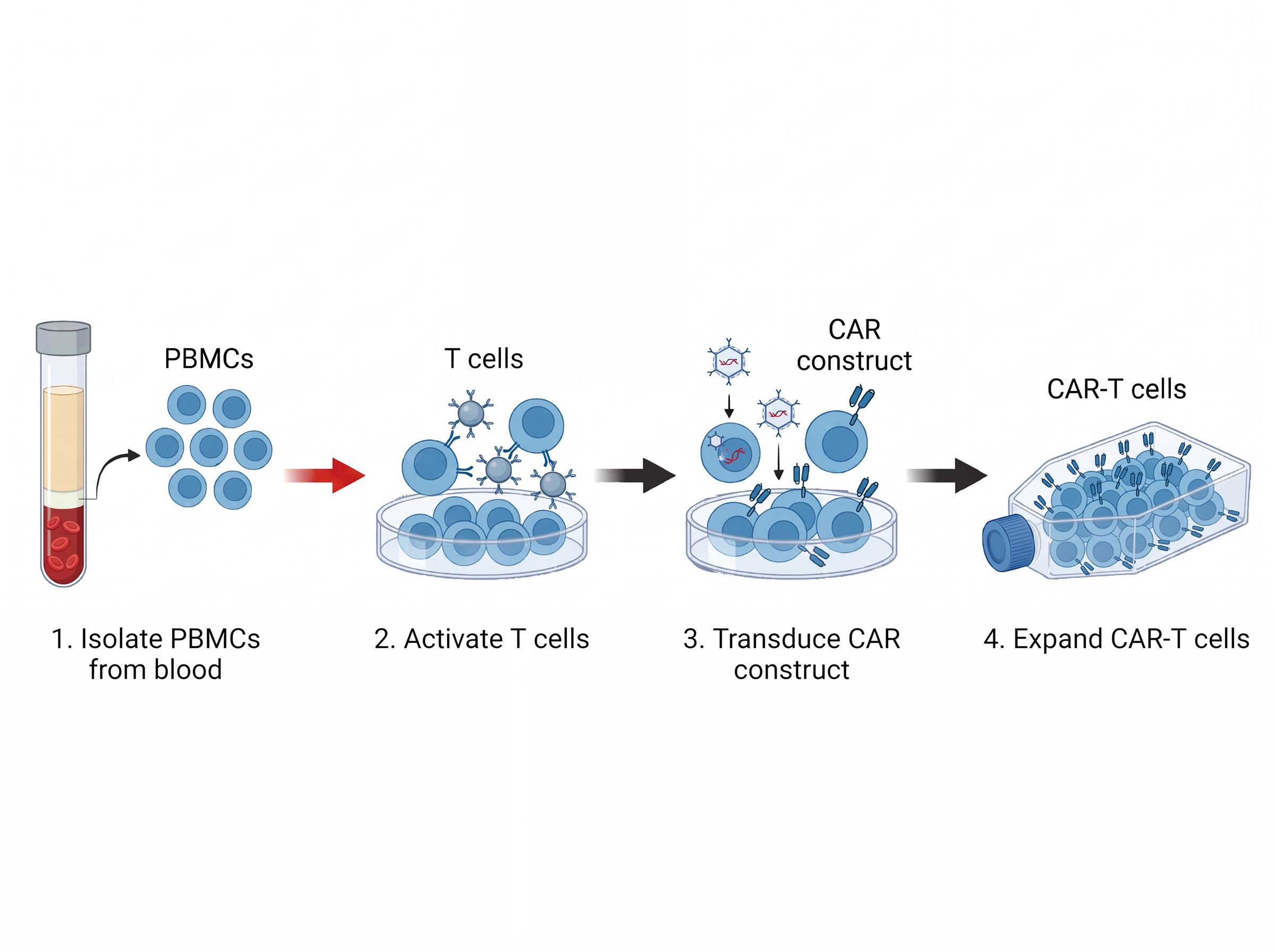
Four connected stages: isolation, activation, transduction and expansion.
Create an experimental workflow with exactly four numbered stages from left to right: 1. Isolate PBMCs from blood; 2. Activate T cells; 3. Transduce CAR construct; 4. Expand CAR-T cells. Show each stage with a readable label and connect adjacent stages using simple right-pointing arrows. White background, blue cells. Do not show patient infusion or treatment efficacy.
Compare a CAR-T workflow before and after a real natural-language edit. Download the original result to inspect it.
“Change the thick black arrow between the first and second stages to red, keeping its shape and position.”
Switch versions and inspect the first horizontal arrow. Models can also redraw other details; compare versions before accepting a change.
03 / DOWNLOAD & INSPECTDownload revised PNGUnderstand SVG / PPTX editability →Saved model experiment · Not live generation · Sep 5, 2026
Prepare mechanism figures and method workflows, then revise alongside reviewer comments.
Explain the core finding in one slide instead of a collage of screenshots.
Help review panels grasp your idea and technical route in seconds.
Give every chapter consistent, professional-looking figures.
Turn abstract concepts into visuals students grasp at first look.
Map a field or compare mechanisms in a consistent illustration style.
Describe your idea, refine the details, and download it for your next presentation.
Describe a mechanism, pathway, or experiment. Start your scientific figure with a few sentences.
Example generation and revision. Review labels and scientific relationships before use.
No payment card required. Your first figure is on us.
Download PNG anytime. SVG converts on demand; PPTX for supported editable documents.
Compare before and after, roll back when needed — no figure is ever lost to a bad edit.
AI output is a draft. Labels and scientific relationships need your review — we say so plainly.
Generation, editing, exports and credits — all in one place.
It depends on the document type. You can keep revising in plain language, and supported structured documents expose editable canvas objects. Whole-image figures may not expose individual labels; in converted SVG, traced text may become outlines rather than text boxes.
PNG downloads directly for slides and layouts, SVG converts on demand, and supported editable documents export PPTX. See the help page for exact editability.
Treat output as a draft, not a finished figure. Verify labels, arrows and scientific relationships yourself, and check your journal’s policy on AI-assisted figures.
A standard generation or a requested revision costs 1 credit; high quality costs 2. Manual canvas edits and exports are free. Subscription credits refresh per period; purchased credit packs never expire.
Each image generation or requested image revision produces one candidate by default. A failed scientific inspection does not trigger an automatic redraw. If the request fails after credits are charged, the system attempts to return those credits. Contact support if the credit balance is not restored.
Your prompts and figures live in your own project space, visible only when signed in. Downloads and sharing stay under your control.
3 free credits after email verification — no payment card required. Make your first draft, then decide if it’s worth paying for.
PNG export · SVG on demand · Free canvas edits