01 · Graphical abstract · AI concept example
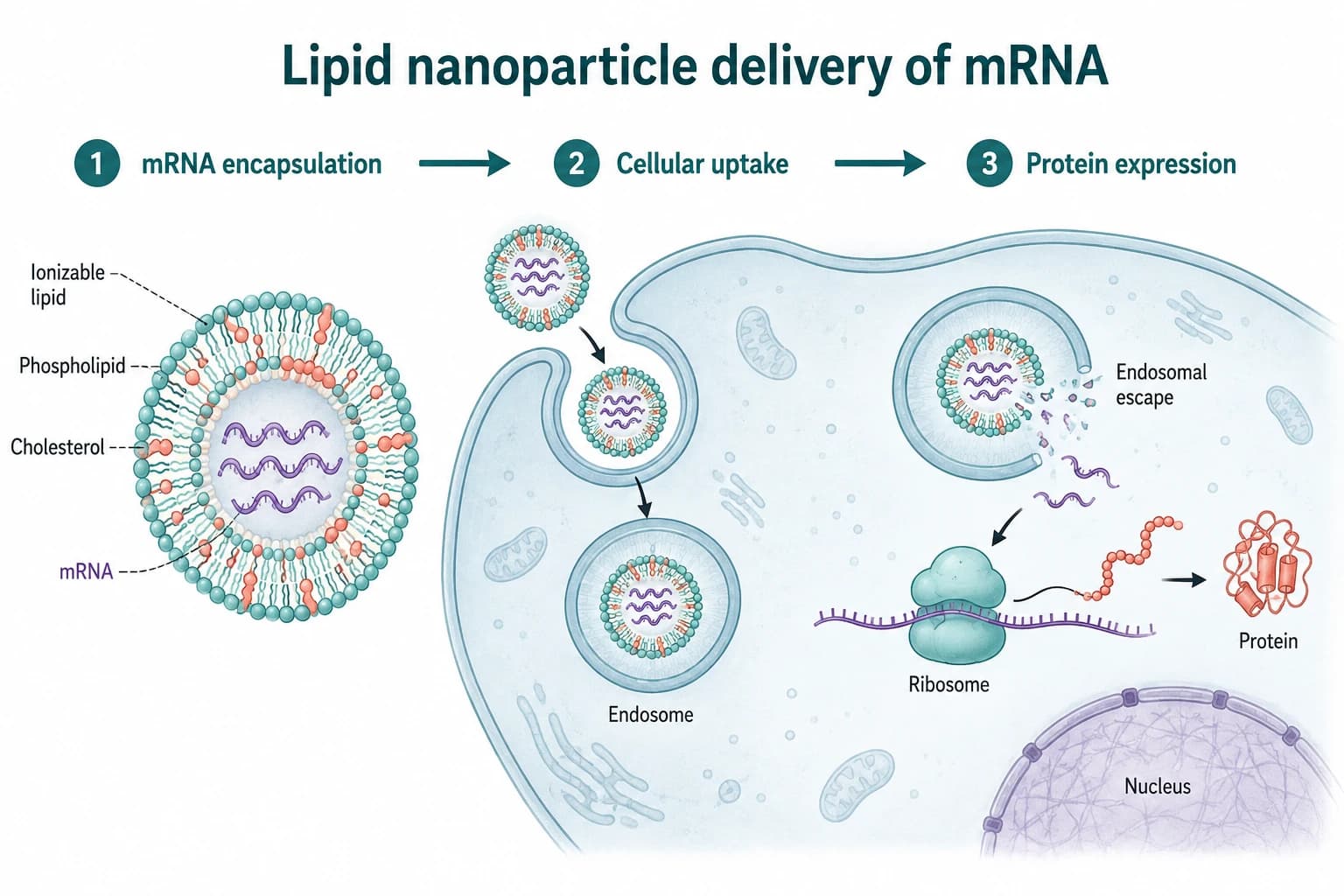
Lipid nanoparticle delivery of mRNA
From encapsulation and cellular uptake to endosomal escape and protein expression. An AI-generated concept example, not experimental results.
Try this exampleTurn an abstract, methods description or research finding into an editable scientific figure draft. Review labels, arrows and scientific relationships before using it in a paper, review or presentation.
Describe the subjects, relationships, labels and layout. Your prompt is saved in this browser tab and can be restored within 24 hours.
Sign in on the next step · 3 credits after email verification · No credits used here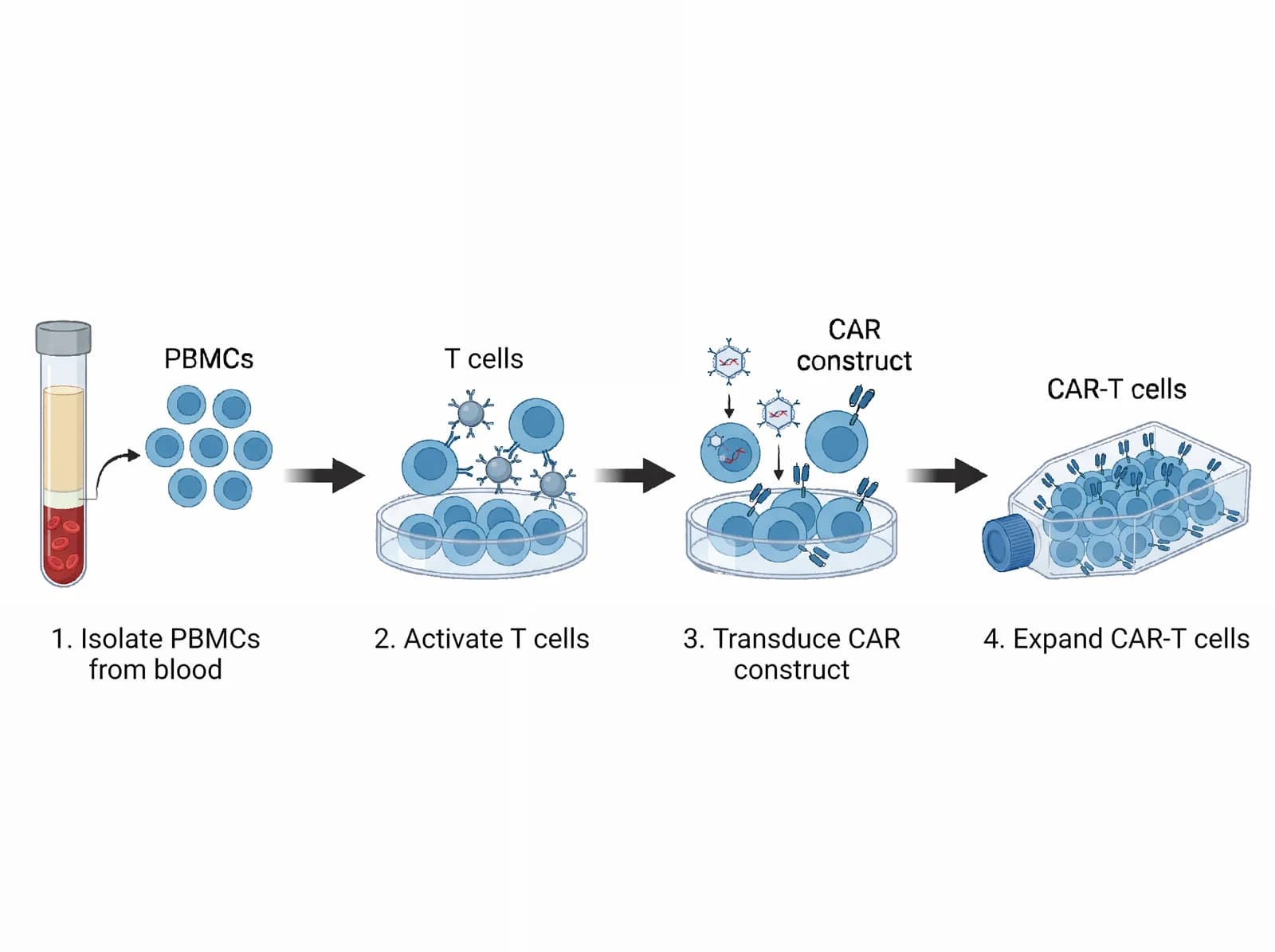
Four connected stages: isolation, activation, transduction and expansion.
A paper figure generator turns an abstract, methods description or key finding into a scientific figure draft. LitFigure is built for biomedical diagrams: it creates a complete composition first, then lets you revise the result instead of assembling a blank canvas element by element.
Name the subjects, relationships, labels and reading order. A precise research brief is more useful than a style-only prompt.
Start with a mechanism diagram, graphical abstract or experimental workflow based on the story you provide.
Correct labels and relationships, compare versions, then download the format supported by that document type.
Use an example as a starting brief, then replace it with your own entities, relationships and constraints.
From encapsulation and cellular uptake to endosomal escape and protein expression. An AI-generated concept example, not experimental results.
Try this example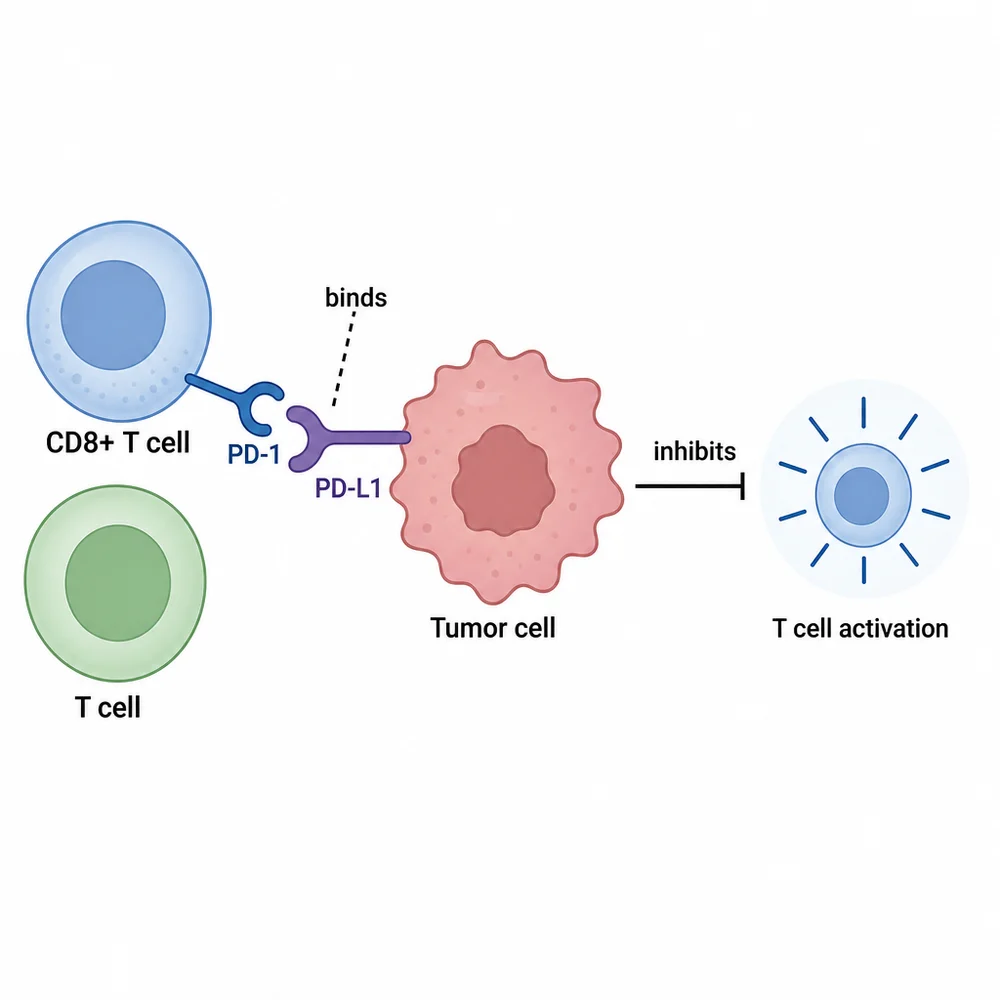
Connect cells, receptors and inhibitory signaling in one figure.
Try this exampleFour connected stages: isolation, activation, transduction and expansion.
Try this exampleDraft a mechanism or methods figure, then verify it against the evidence and the target journal’s current instructions.
Turn a multi-step concept into a readable overview before refining the scientific hierarchy with collaborators.
Adapt a research story for slides, posters or a thesis defense without redrawing the composition from scratch.
Generated figures are working drafts, not scientific approval. Before publication, check every label, direction, causal relationship and final exported file.
LitFigure is designed for biomedical mechanism diagrams, graphical abstracts and experimental workflows. Start from a written research brief or adapt one of the visible examples.
Treat it as a draft. Verify the labels, arrows, scientific relationships and the target journal’s policy before submission. The author remains responsible for the final figure.
PNG is available for image versions. SVG is generated on demand and complex conversions can fail; traced labels may be outlines. PPTX is available for supported editable documents, not every whole-image figure.
LitFigure starts from a research description and drafts a complete composition. An asset-library workflow starts with individual icons and gives you more manual control over assembling every element.
Draft the prompt above, keep it in this browser tab, and sign in only when you are ready to generate.